
You can easily adjust the arrive or leave distance for any saved location directly within the app. Here's how:
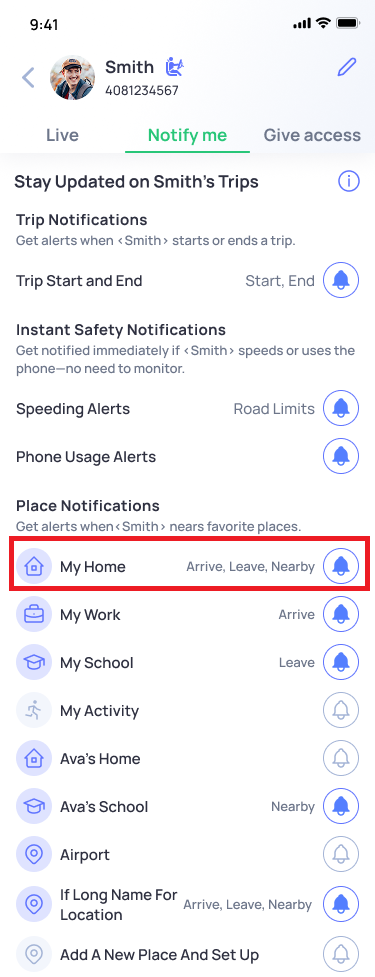
- Go to your buddy's profile
- Tap on "Notify Me"
- Under Place Notifications, tap the bell icon next to the location you'd like to update (e.g., My Home)
4. On the Set Up Place Notifications screen, scroll to the radius slider under the map and drag it left or right to adjust the distance
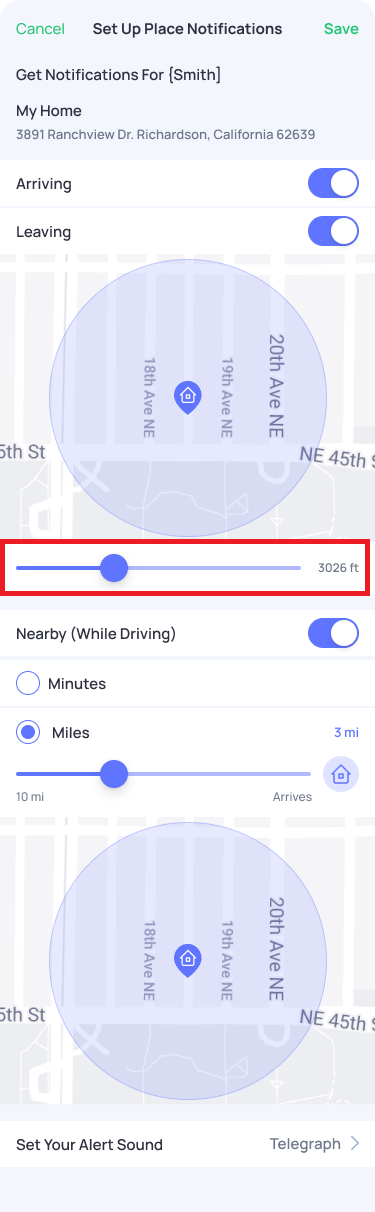
Tip: A smaller radius triggers notifications closer to the exact location, while a larger radius gives you a wider alert zone choose based on how precise you need your alerts to be.