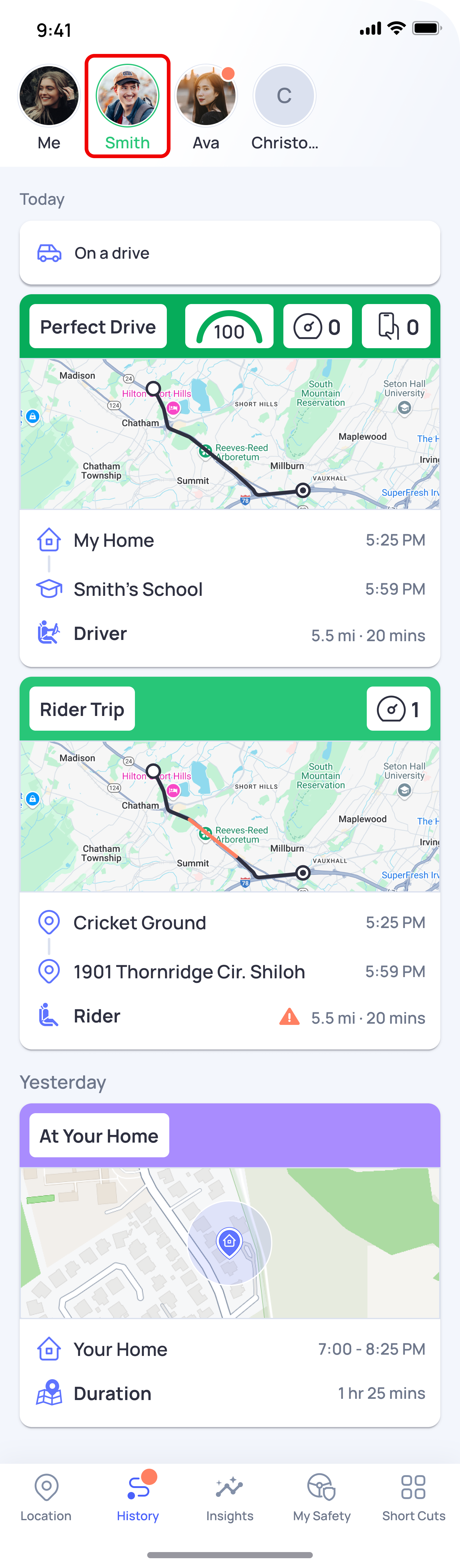
You can easily view the drive history of any connection directly within the app. Here's how:
- Open the OtoZen app and tap on History from the bottom navigation bar
At the top of the History screen, tap on your connection's profile picture to select them (e.g., Smith)
2. You'll now see a full timeline of your connection's drive history, including:
- Today's trips — with drive score, route map, start & end locations, distance, and duration
- Yesterday's activity — locations visited and time spent
💡 Tip: You can switch between connections at any time by tapping their profile picture at the top of the History screen. Only connections who have granted you access will have their drive history visible.