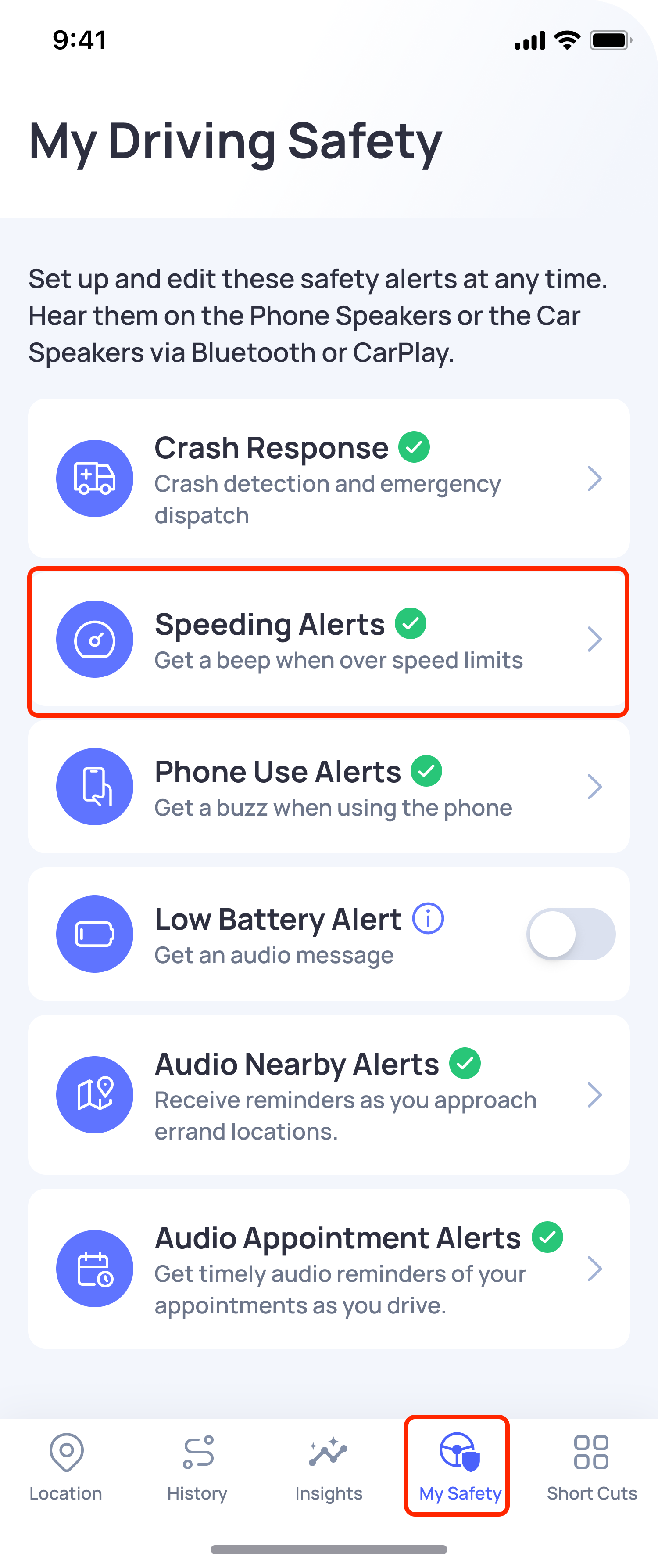
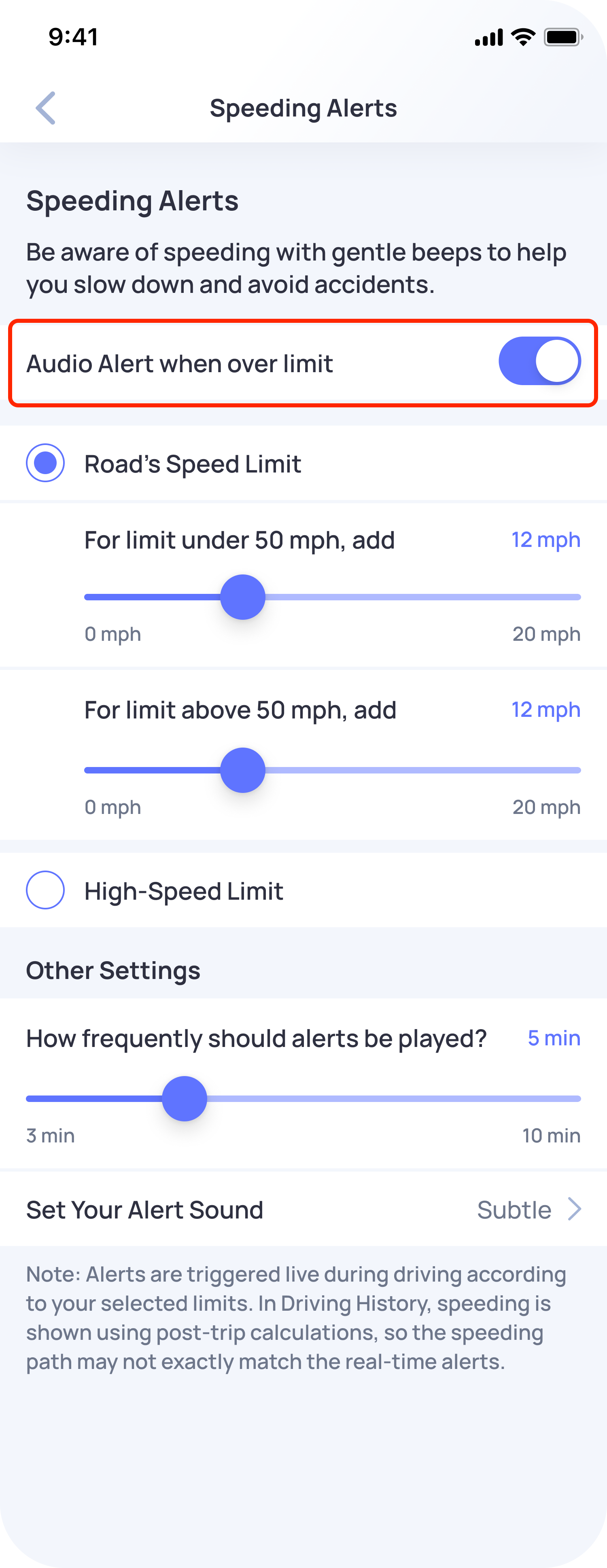
You can disable Speeding Alerts from the My Safety section in the OtoZen app.
Please follow these steps:
- Open the OtoZen app.
- Go to My Safety.
- Tap Speeding Alerts.
- Turn off the Audio Alert when over limit toggle.
Once this is turned off, OtoZen will stop playing speeding audio alerts while you are driving.
To hear speeding alerts again, you can turn the Audio Alert when over limit toggle back on anytime.
Related FAQ: What are Speeding Alerts, and how can I enable Speeding Alerts?