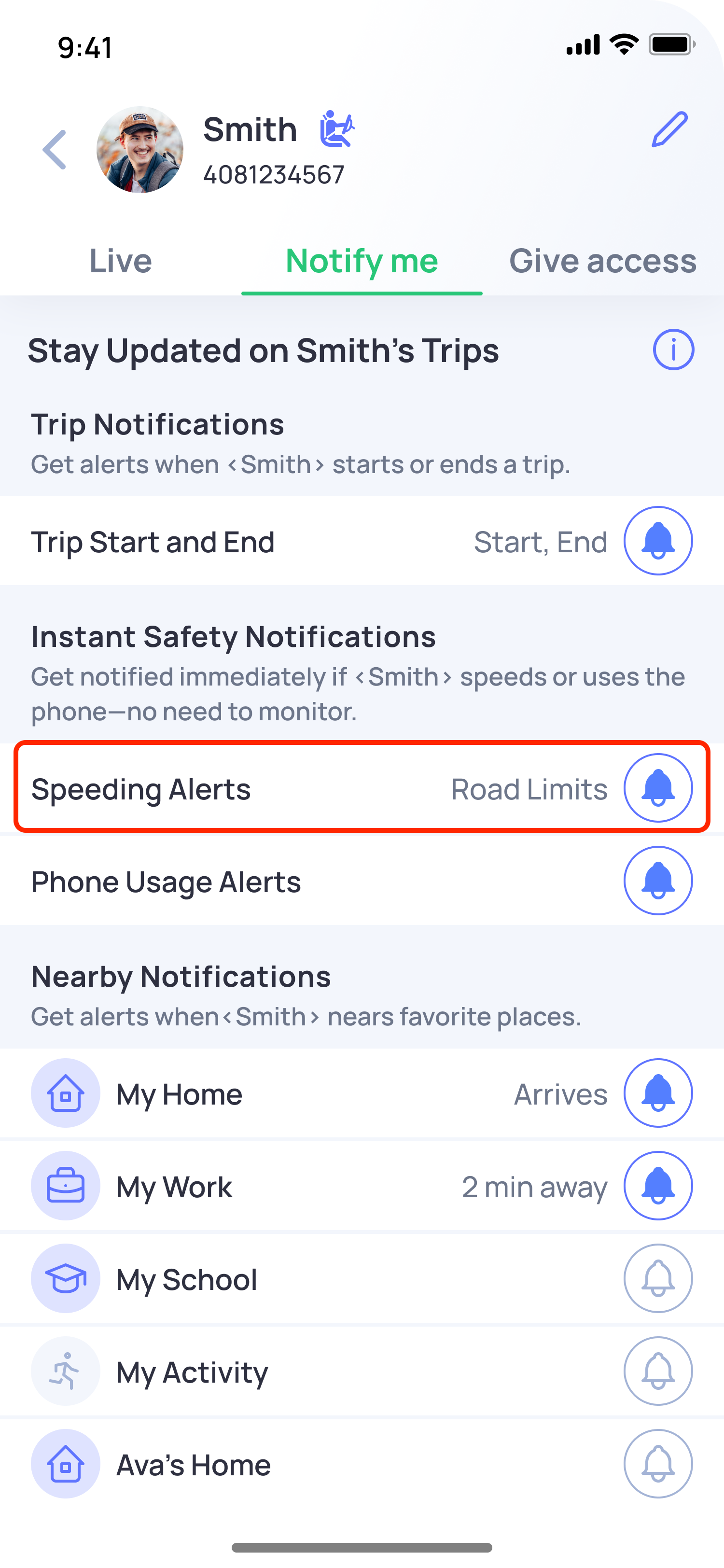
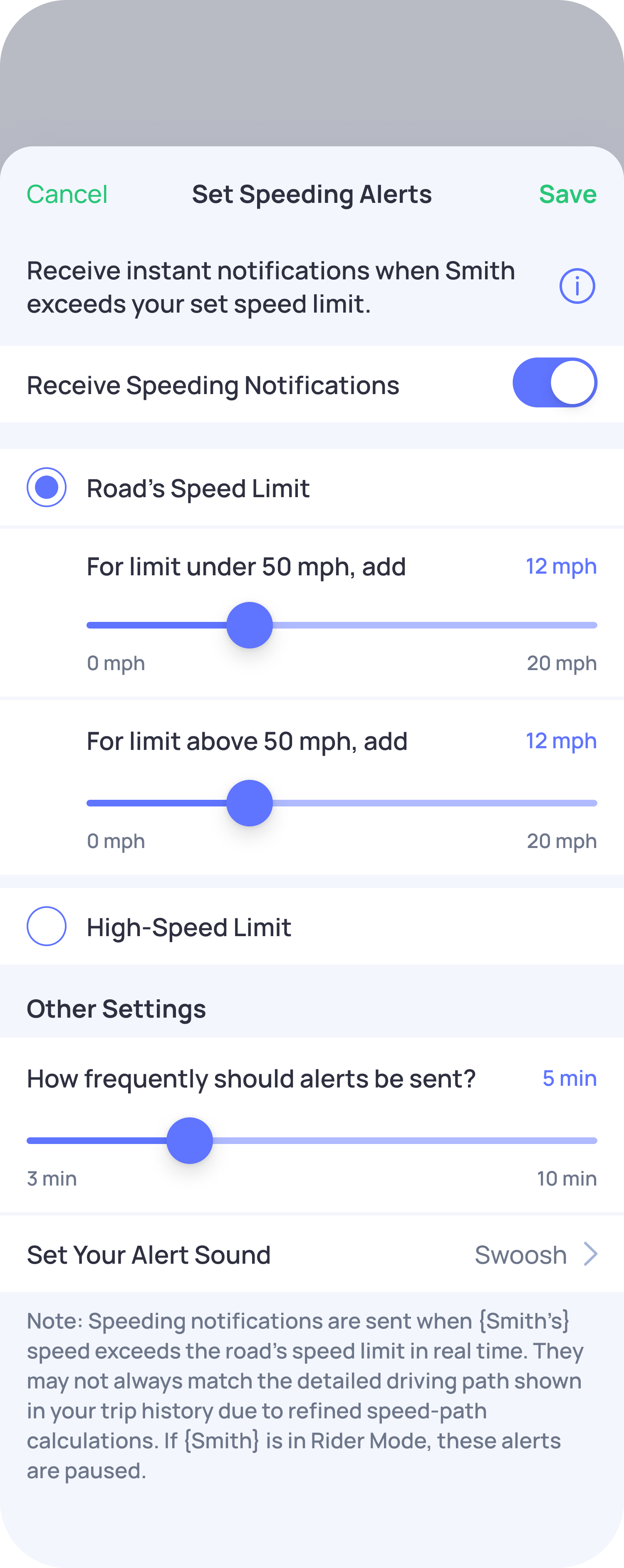
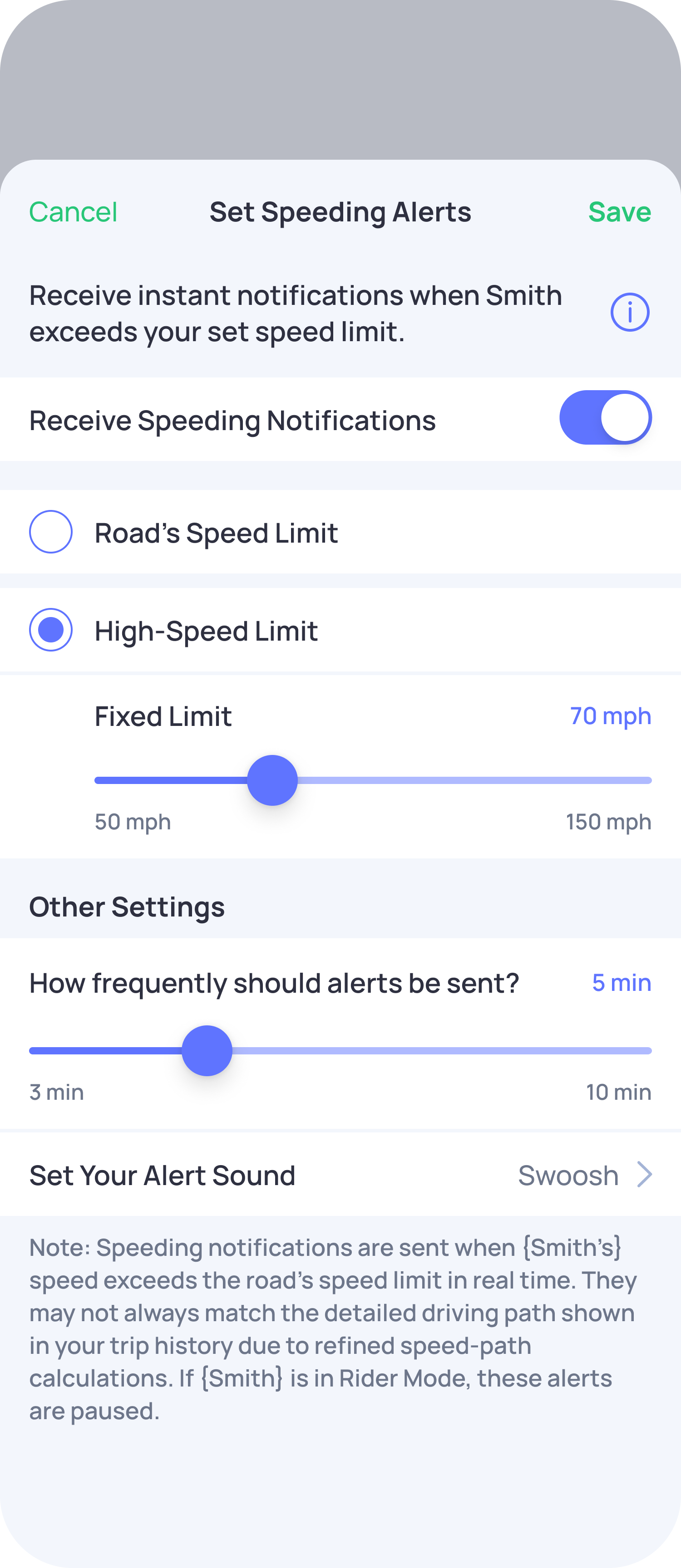
Yes, you can set your preferred speed threshold for real-time speeding alerts. This allows you to choose the Road's Speed Limit or High-speed limit at which you’d like to receive notifications based on your child’s driving behavior.
Steps to customize the speed threshold:
- Open the OtoZen app.
- Click the family member's profile pin on the Location Screen or in the bottom view.
- Click on the Notify Me tab.
- Select Speeding Alerts and customize the speed threshold based on your preferences.
- You can also select a specific tone for this notification.
- Once done, save the settings.
This allows you to adjust the speed alerts according to what you feel is safe for your family members.