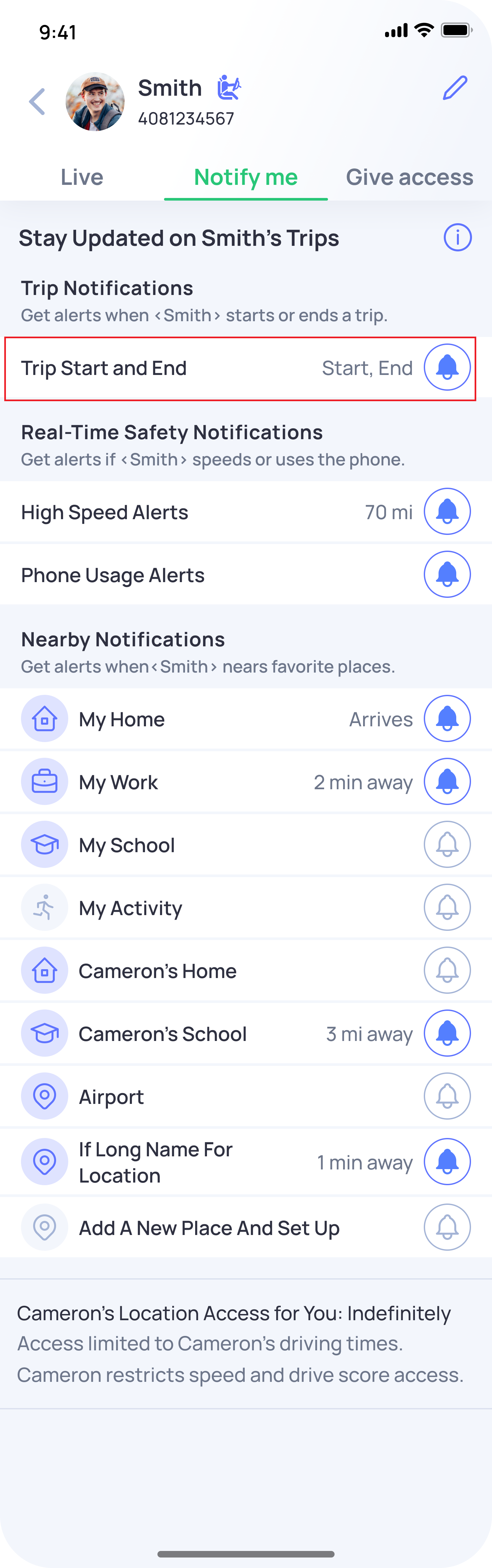
OtoZen can notify you when a Connection leaves a saved location by using Trip Start and End notifications.
To set this up:
- Open the OtoZen app.
- Select the specific Connection from the Location screen.
- Tap the Notify me tab.
- Make sure Trip Start and End notifications are turned on.
For OtoZen to recognize the location, the place must be saved as a Favorite Place. You can add or edit Favorite Places from the Family screen at the bottom-right corner of the app.
Once everything is set up, OtoZen can detect when your Connection leaves a Favorite Place and send you a Trip Start alert.
Related FAQ: How to add Home, Work, or other Favorite Places in OtoZen