You can easily add a connection (buddy) to your plan from the app. Follow these steps:
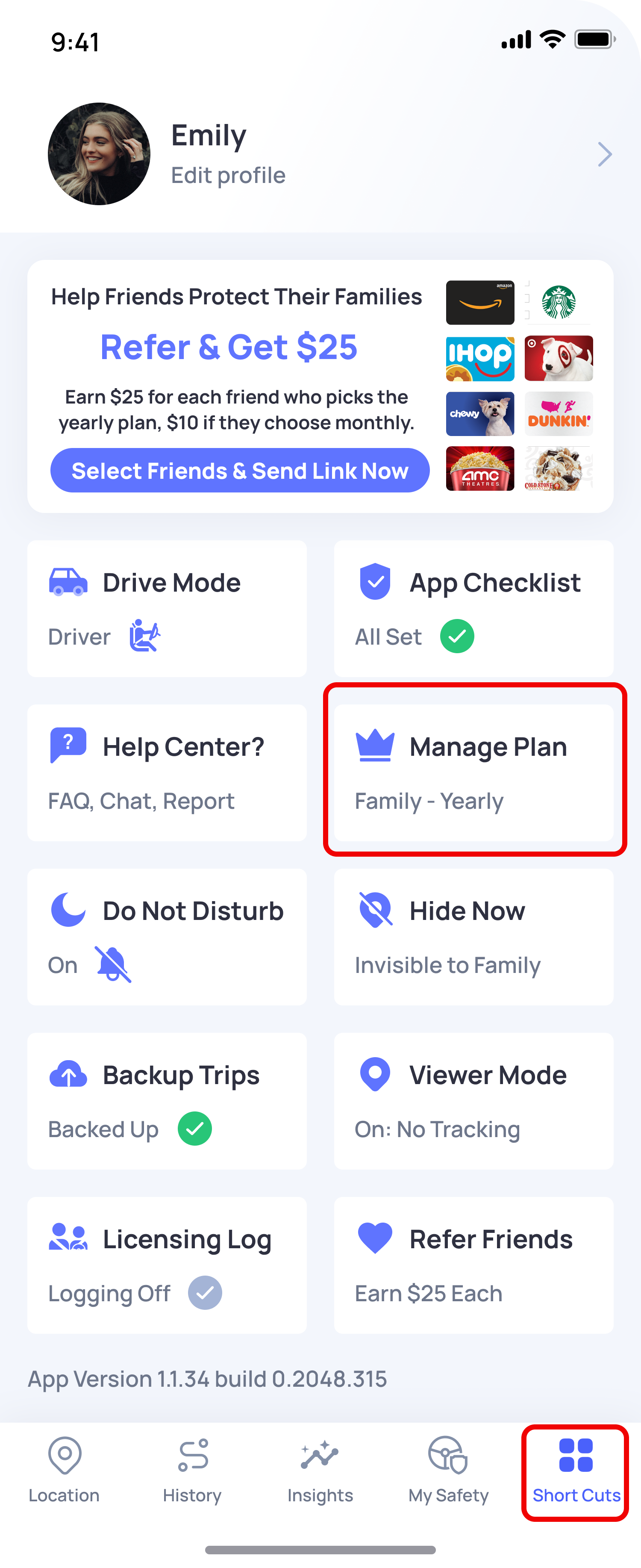
- Open the OtoZen app
- Go to Shortcuts (bottom right corner)
- Tap on Manage Plan
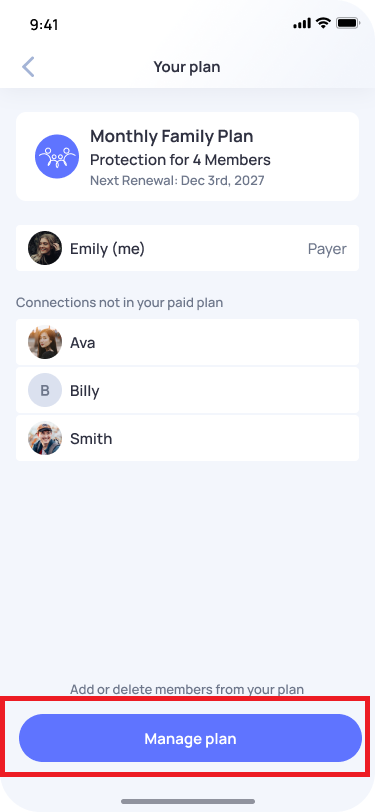
- On the plan screen, tap Manage plan button
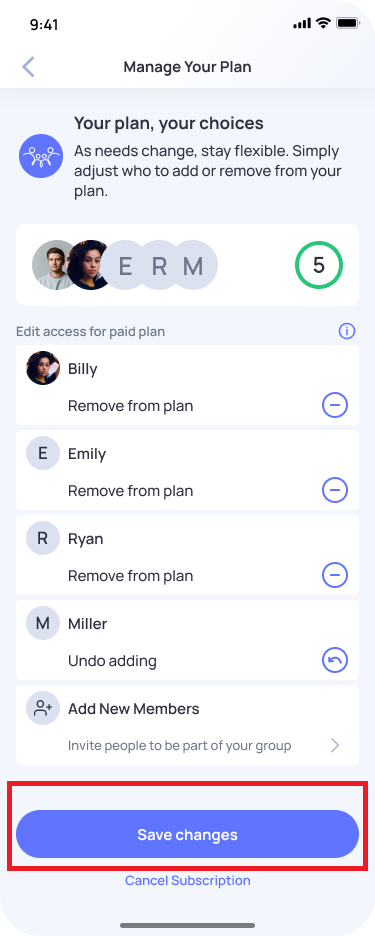
- Select the connection(s) you want to add to your plan
- Tap Save changes
Once saved, the selected connection(s) will be included in your plan.