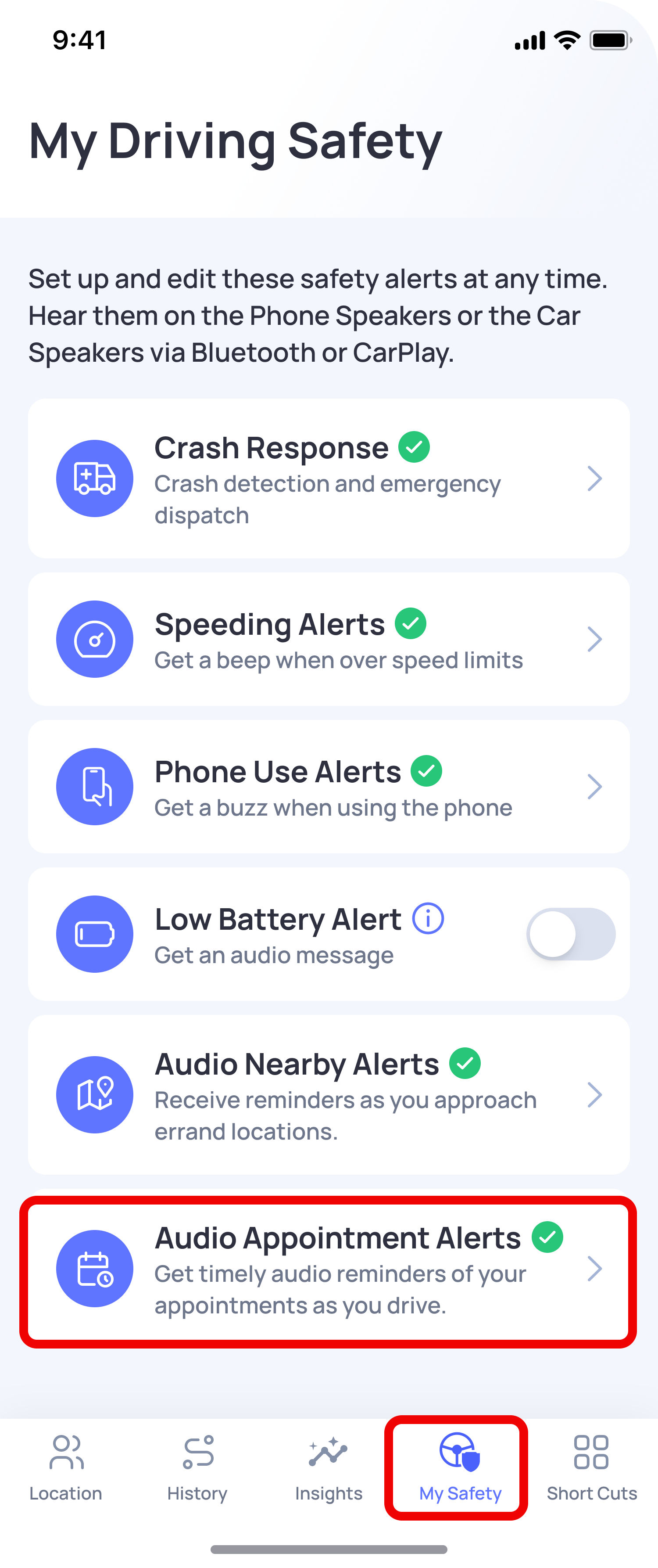
You can set up Calendar Audio Alerts from the My Safety tab in the OtoZen app.
Follow these steps:
- Open the OtoZen app.
- Go to the My Safety tab.
- Tap Audio Appointment Alerts.
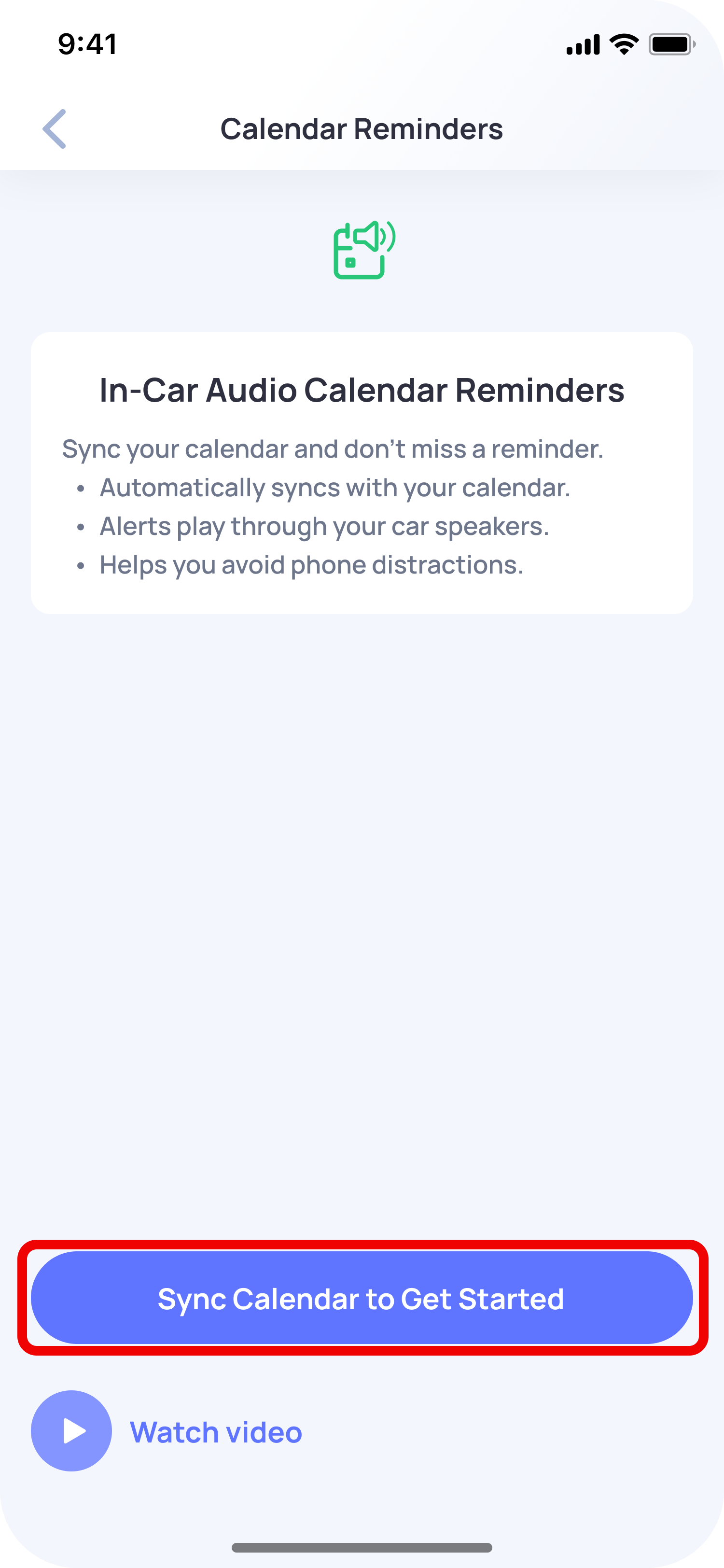
- Tap Sync Calendar to Get Started.
- When your phone asks for calendar access, allow Full Access.
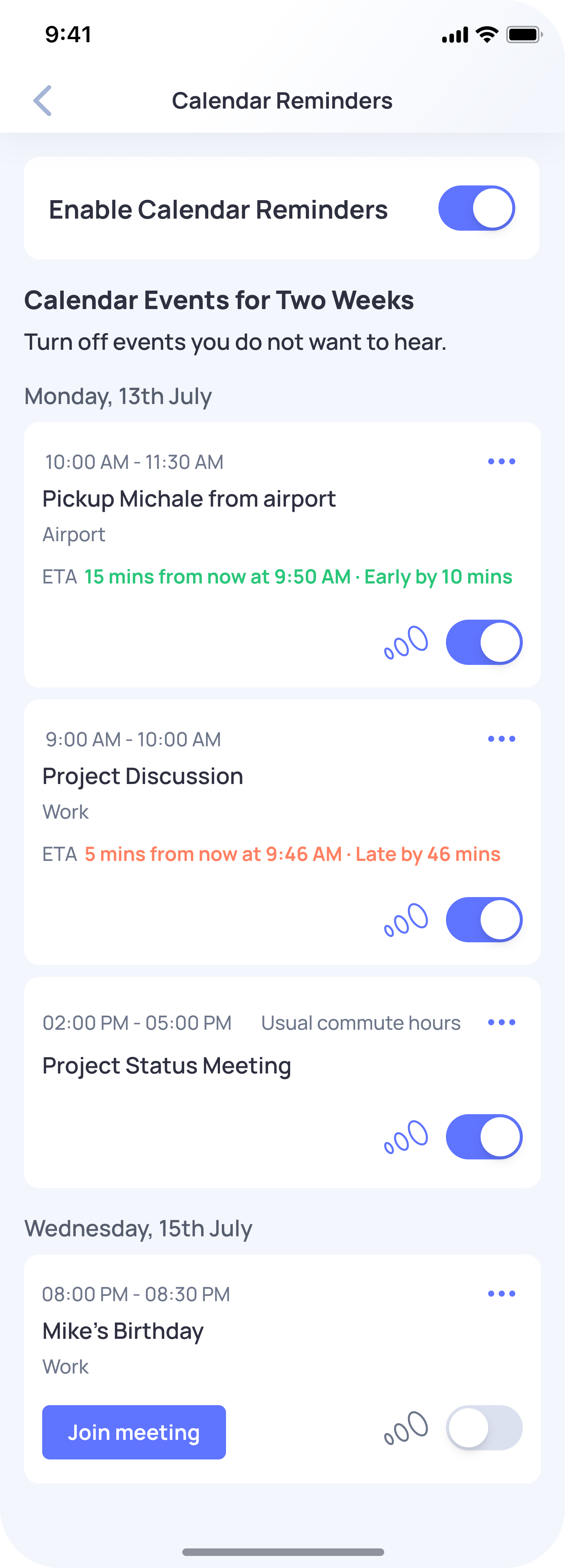
- Once permission is allowed, OtoZen will automatically detect your calendar events for the next two weeks.
After setup, OtoZen can play audio reminders for your calendar events while you are driving.
For all-day events like birthdays, festivals, holidays, and custom all-day events, OtoZen plays the reminder during your first trip of the day. For meeting events, OtoZen plays a reminder 10 minutes before the meeting time.
You can turn Calendar Audio Alerts on or off anytime using the toggle button in the Calendar Reminders screen.
Note: If calendar permission is not allowed, OtoZen will not be able to detect your calendar events or play Calendar Audio Alerts.