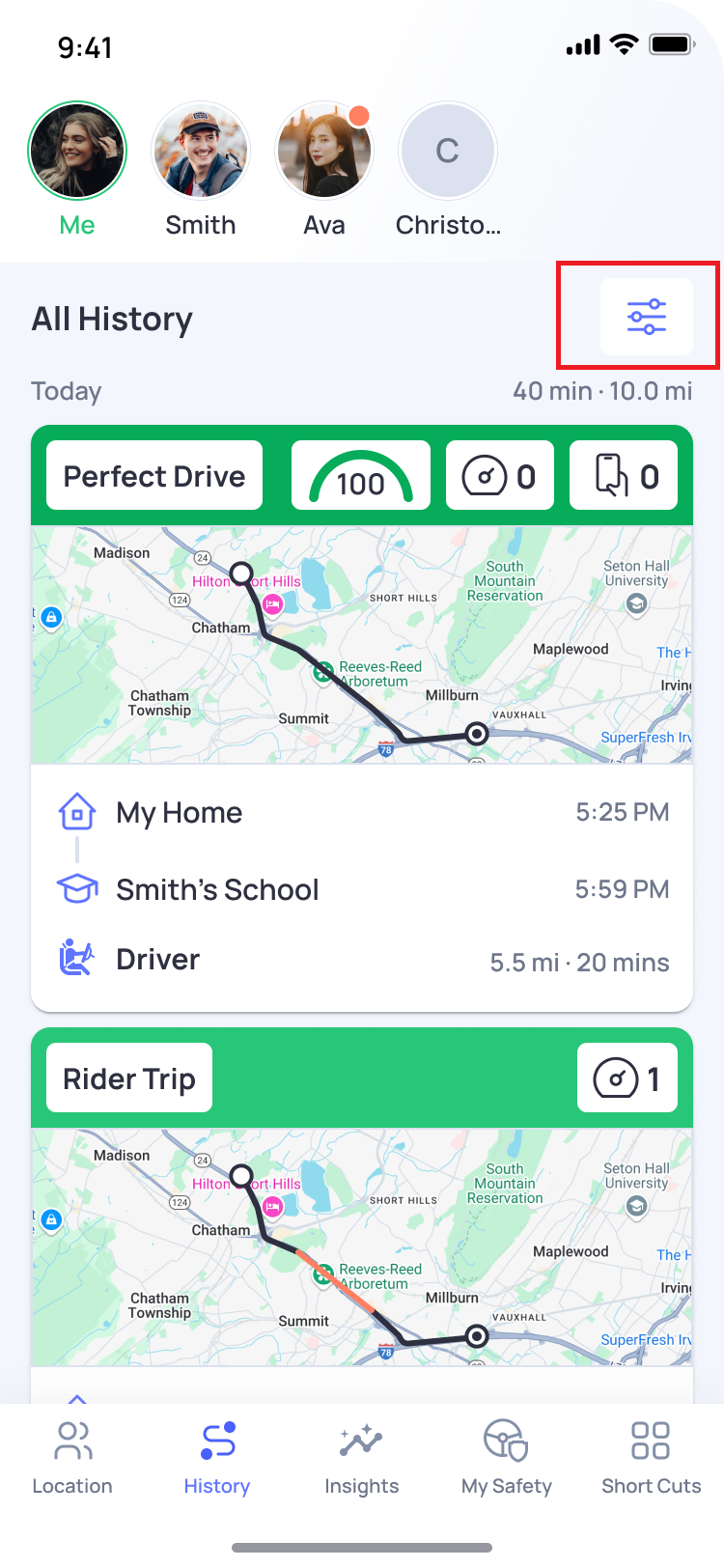
You can use Trip Filters in the History section to find specific trips more easily. Filters are available for both your own trips and your Connection’s trips.
To filter trips:
- Open the OtoZen app.
- Go to the History section.
- Tap the Filter icon top right corner.
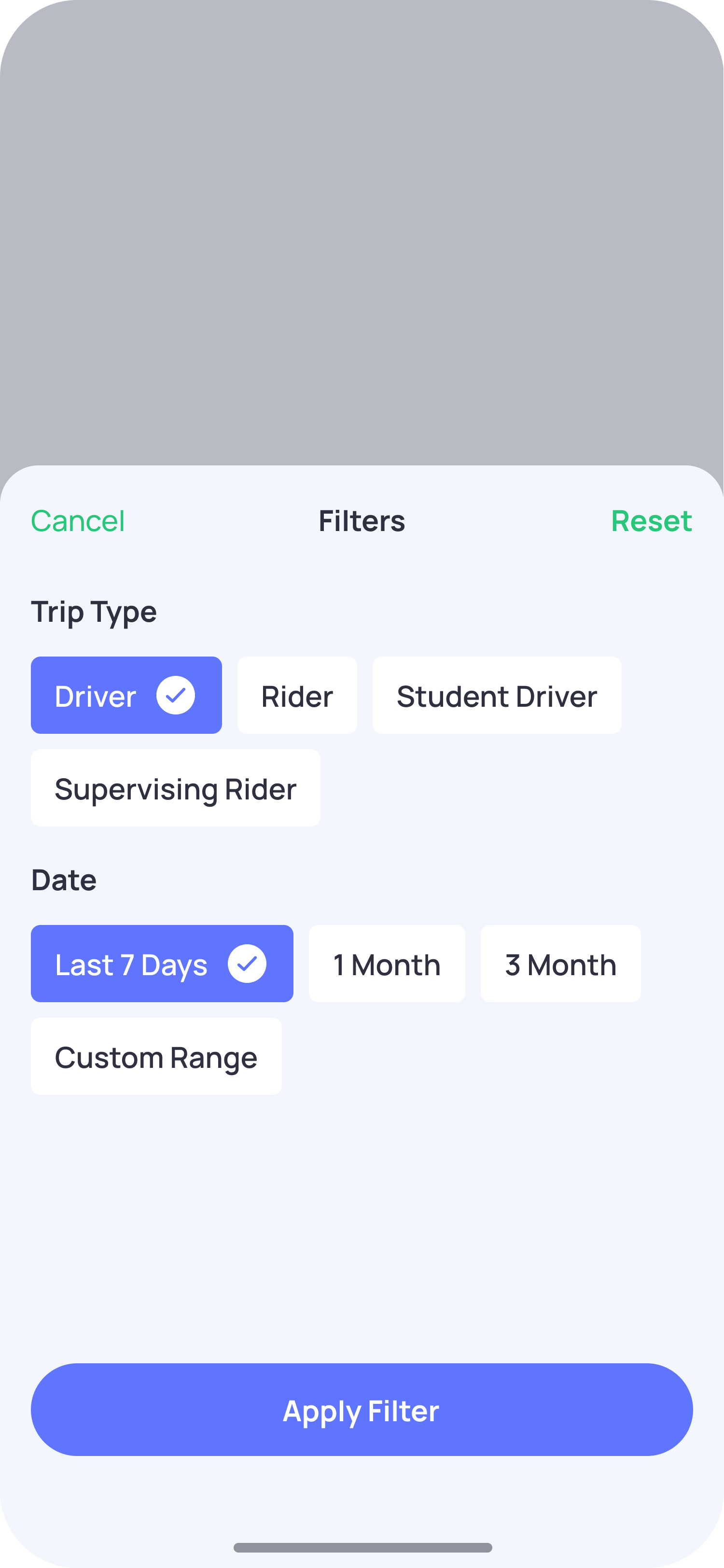
- Select the trip type you want to view: For Ex.
- Driver
- Rider
- Select a date range:
- Last 7 Days
- 1 Month
- 3 Months
- Custom Range
- Tap Apply Filter.
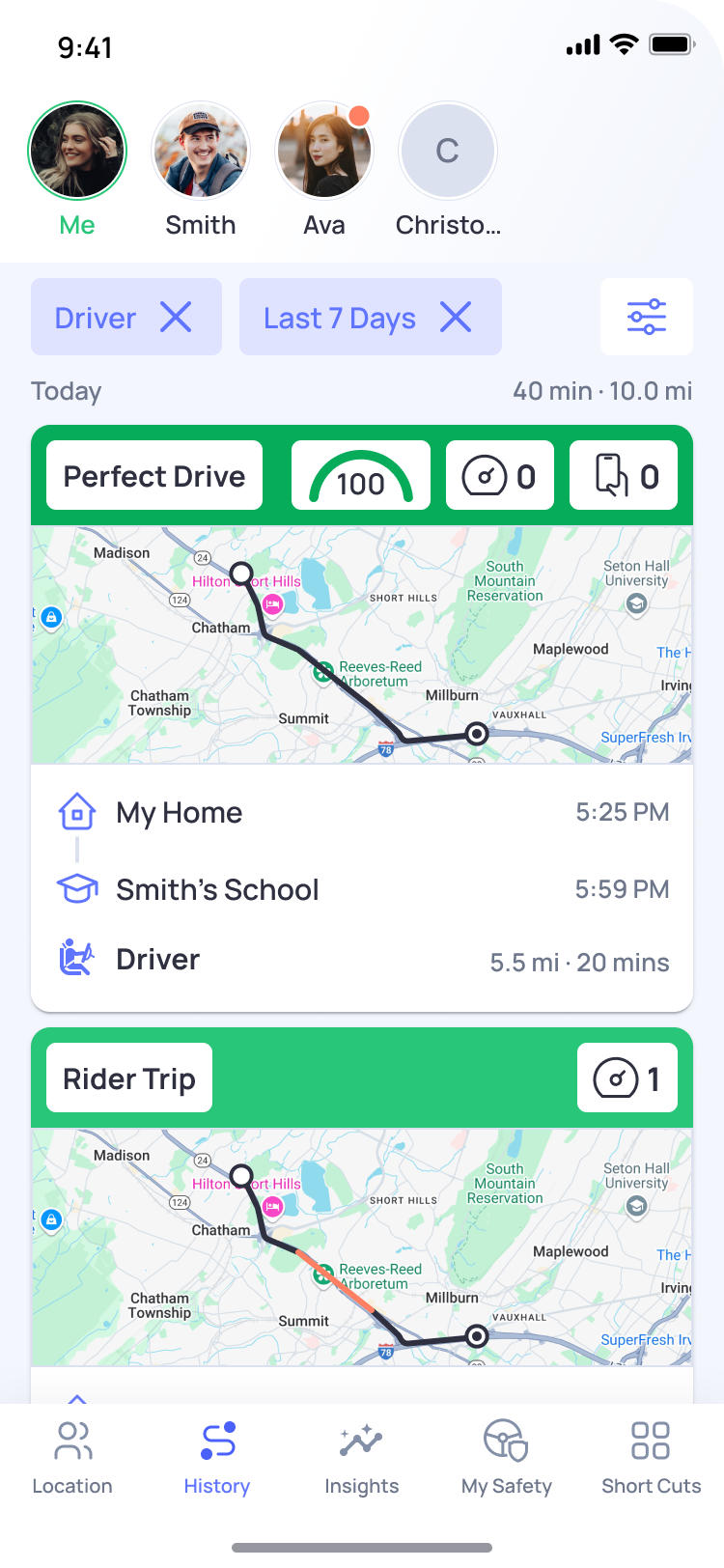
Once applied, OtoZen will show trips that match your selected trip type and date range.
Note:
Trip Filters are available for both your own trips and your Connection’s trips. For Connections, OtoZen currently shows trip history for up to the last 3 months, so filters will only apply to the available trip history within that period.