You can remove a Connection from the OtoZen app by following these steps:
- Open the OtoZen app.
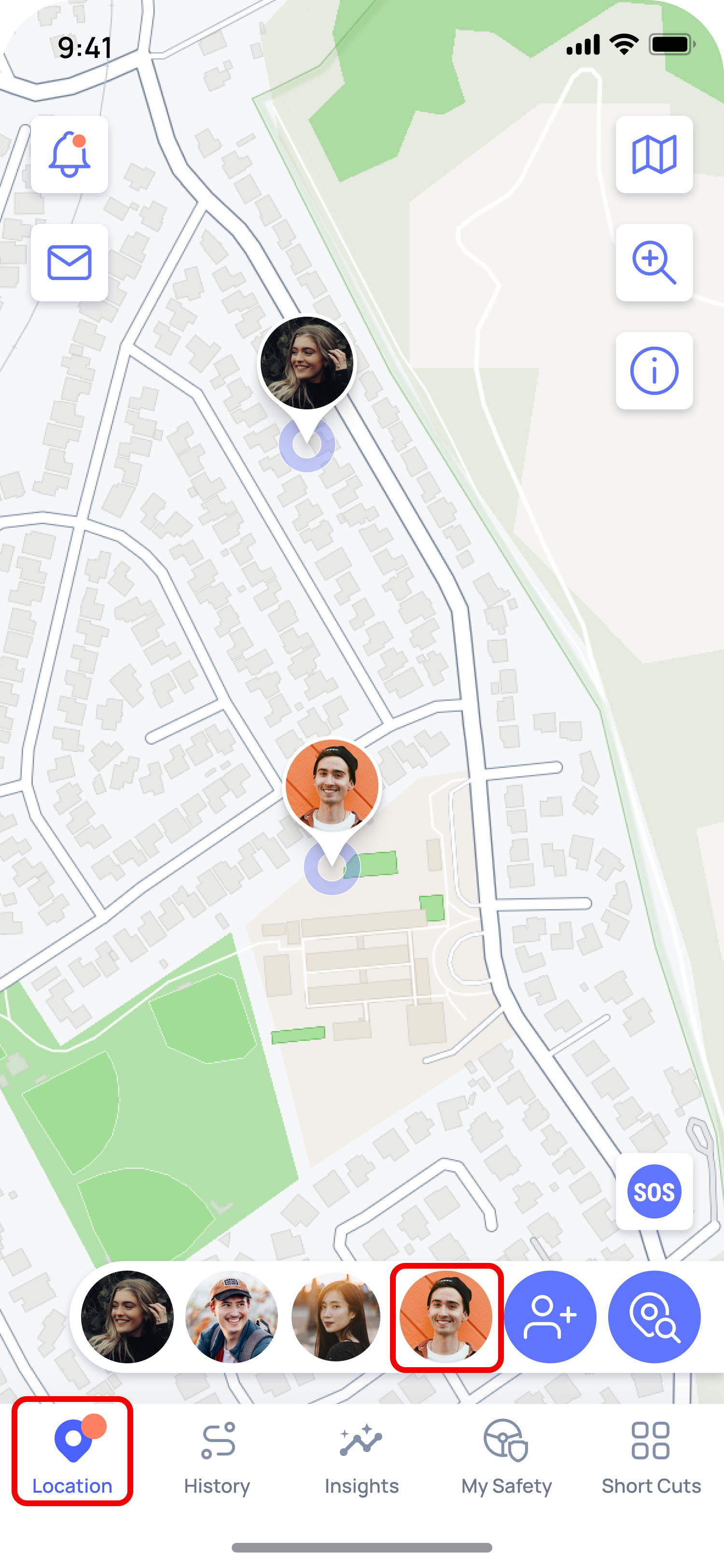
- Go to the Location Screen
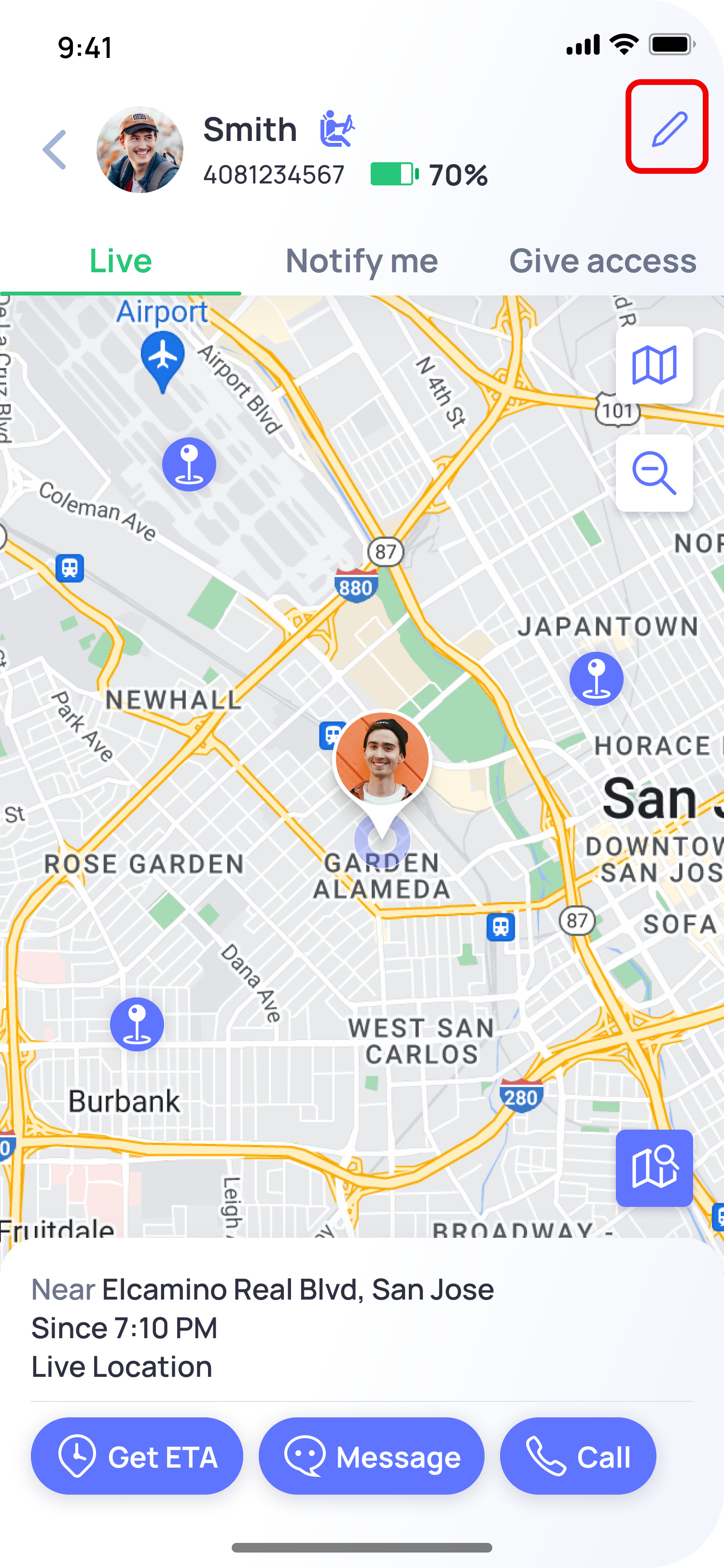
- Select the Connection you want to remove.
- Tap the Edit icon in the top-right corner.
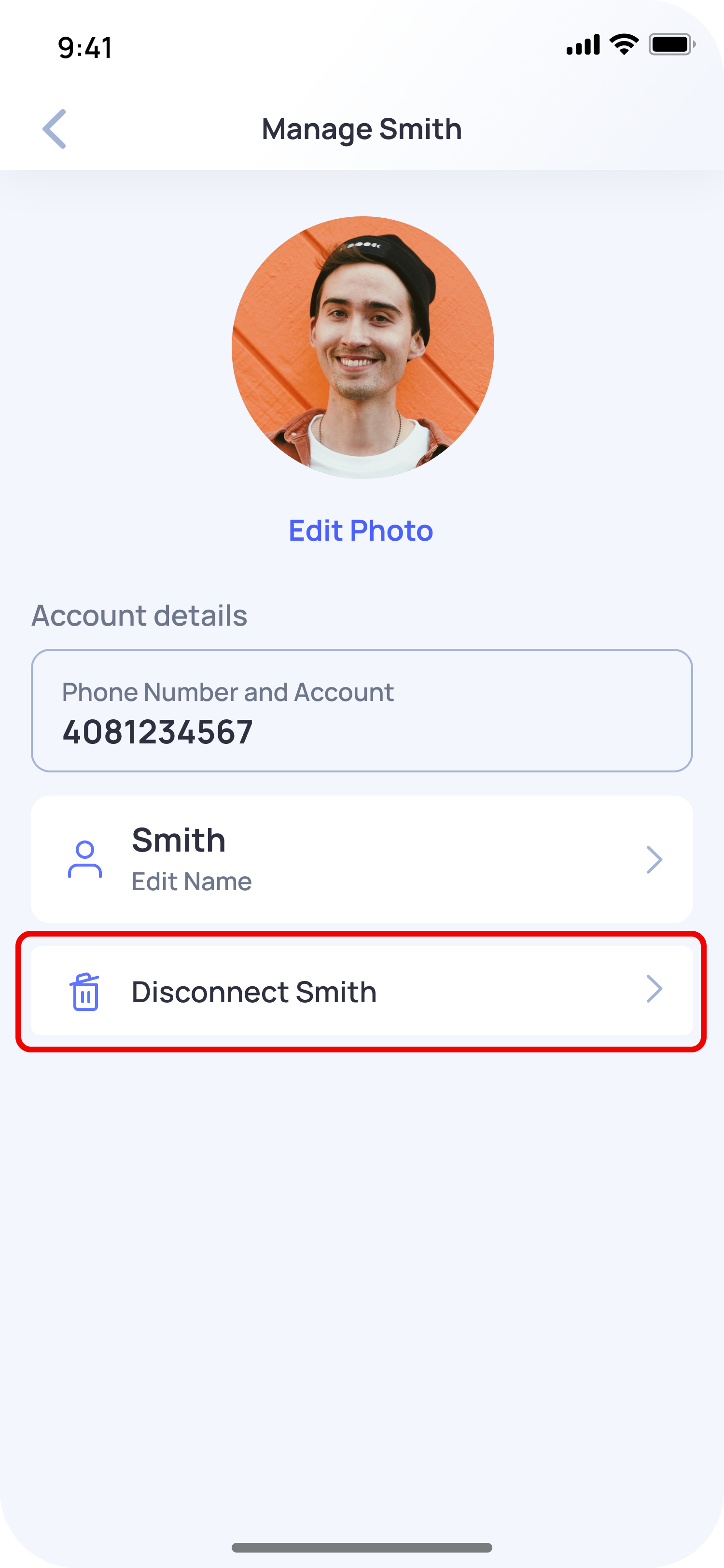
- Tap Disconnect Connection.
- Confirm the action.
Once removed, that Connection will no longer be able to share location or trip-related information with you through OtoZen.
Note: Removing a Connection only disconnects that person from your OtoZen account. It does not delete their OtoZen account or app data.