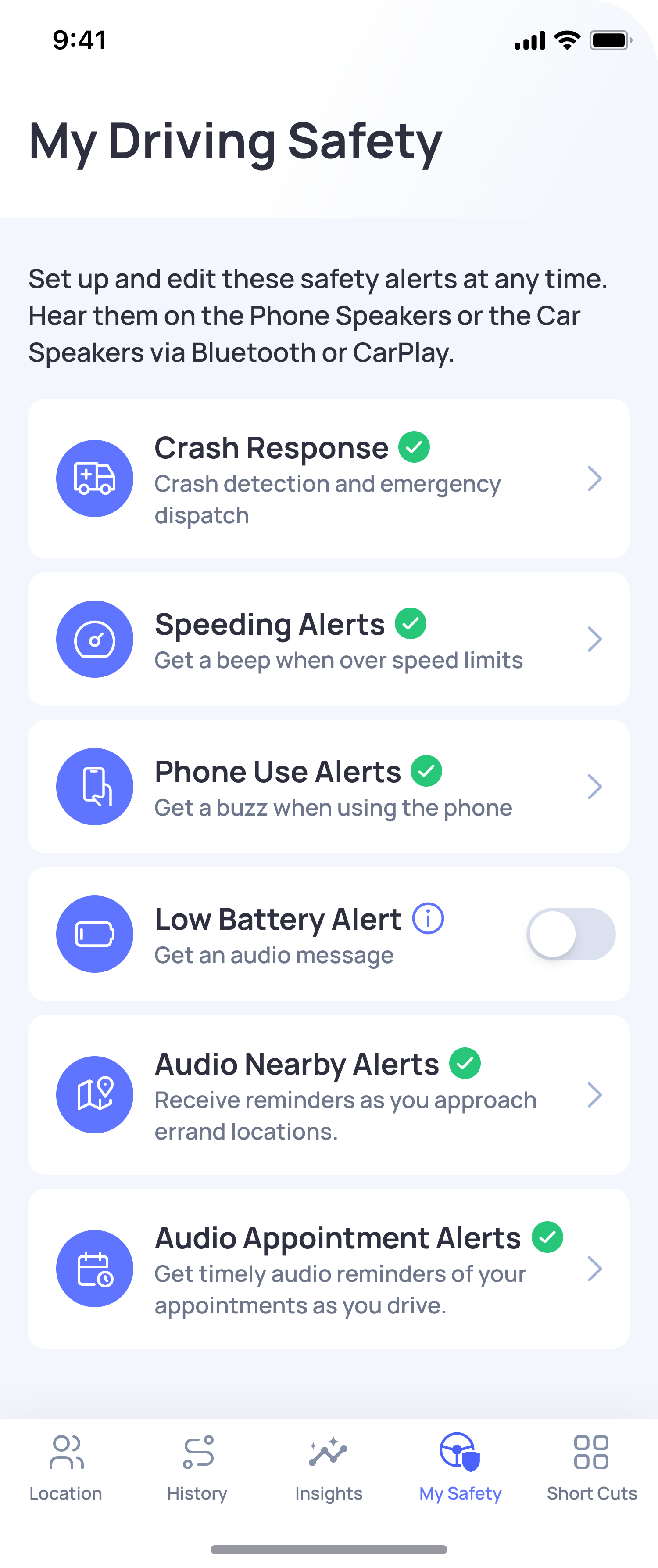
Speeding Alerts are gentle audio beeps that notify you when you drive over your selected speed limit settings. These alerts help you stay aware of your speed while driving without needing to look at your phone.
OtoZen offers two types of Speeding Alerts:
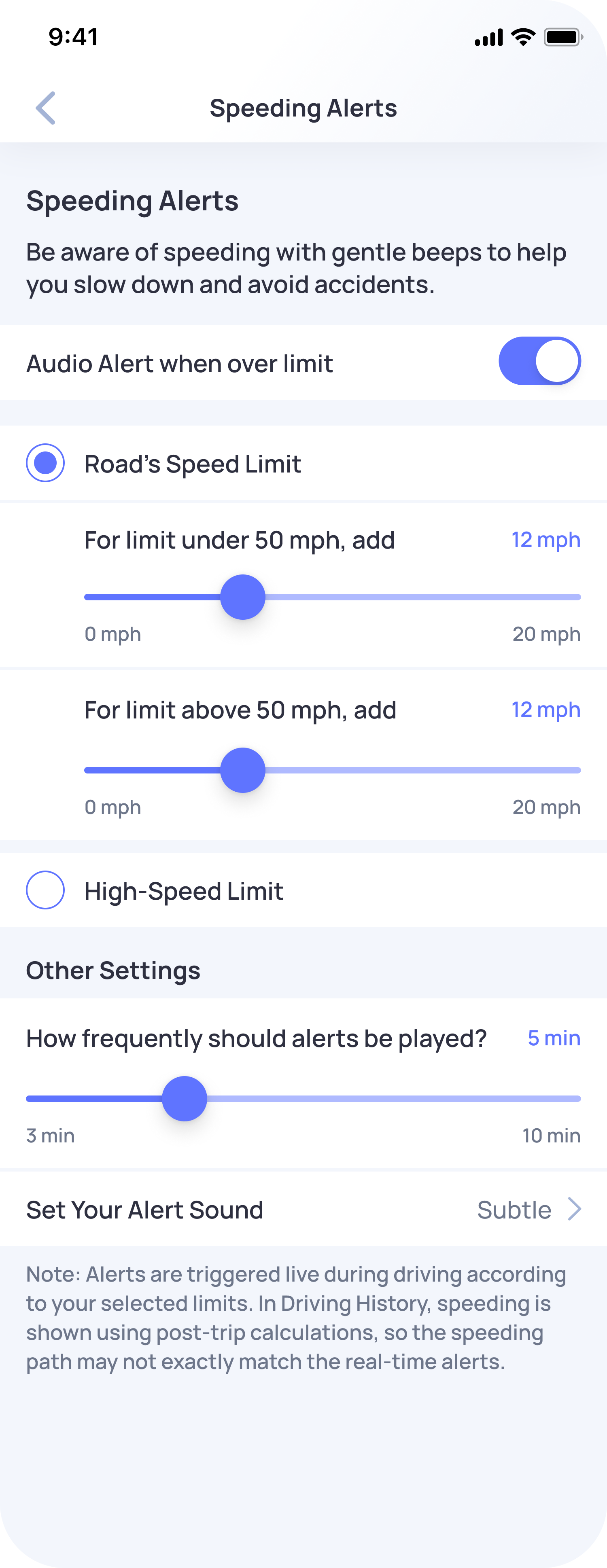
1. Road’s Speed Limit
This option uses the road speed limit shown in the app.
You can set how much extra speed is allowed before an alert is played:
- For road speed limits under 50 mph / 50 km/h, you can set a custom threshold.
- For road speed limits above 50 mph / 50 km/h, you can set a custom threshold.
For example, if the road speed limit is 50 mph / 50 km/h and your threshold is set to 12 mph /12 km/h, the alert will play when your speed goes above 62 mph / 62 km/h.
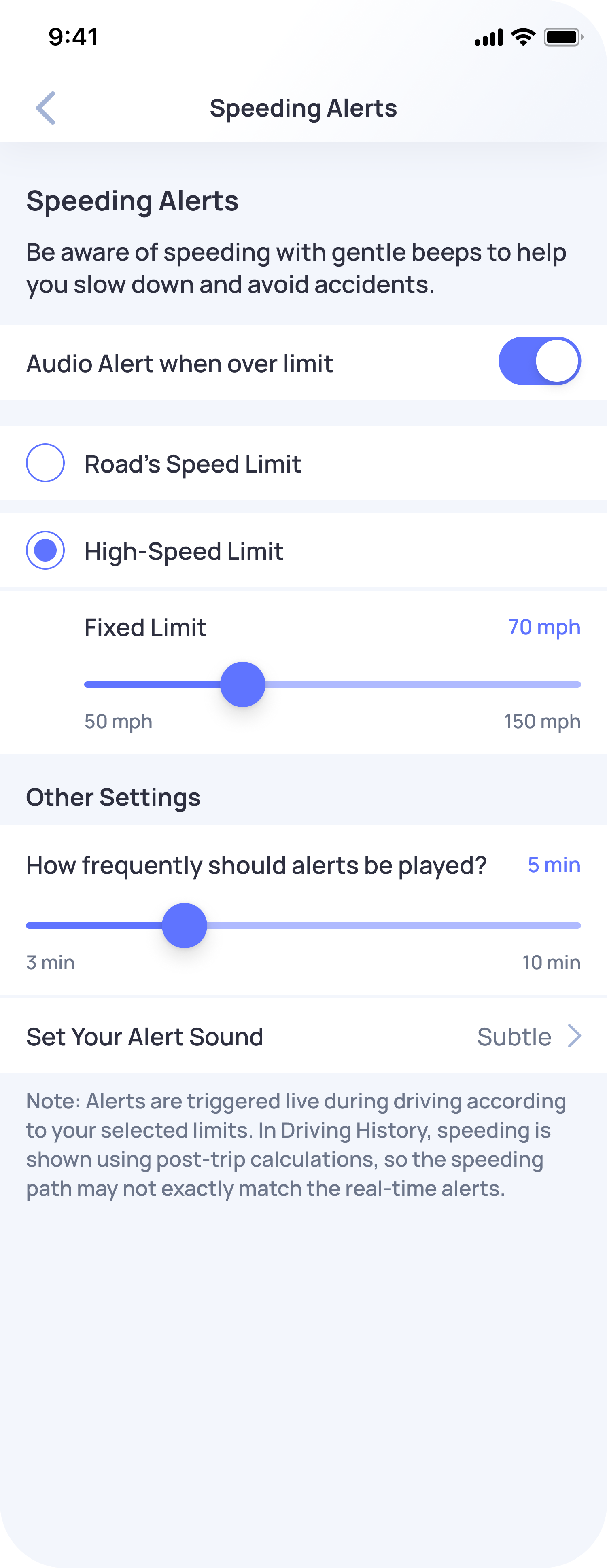
2. High-Speed Limit
This option lets you set one fixed speed limit for alerts.
For example, if you set the fixed limit to 70 mph / 70 km/h, OtoZen will play an alert when your speed goes above 70 mph, regardless of the road’s speed limit.
How Speeding Alerts Work
Speeding Alerts are played as audio beeps a few seconds after you cross your selected speed threshold.
These beeps can play through your car speakers using Bluetooth or CarPlay, or through your phone speaker.
To receive Speeding Alerts:
- Driver Mode should be ON.
- Your phone volume or car audio should be loud enough to hear the alerts.
- Speeding Alerts should be enabled in the app.
How to Enable Speeding Alerts
- Open the OtoZen app.
- Go to My Safety.
- Tap Speeding Alerts.
- Turn on Audio Alert when over limit.
- Choose either Road’s Speed Limit or High-Speed Limit.
- Adjust your speed threshold and alert frequency.
You can also choose how often alerts should be played. The minimum alert frequency is one beep every minute.
Best Setup for Speeding Alerts
For the best hands-free experience, connect your phone to your car speakers using Bluetooth or CarPlay.
If your phone is not connected to car speakers, make sure your phone volume is high enough to hear the alert sound.
Note:
Speeding Alerts and Speeding Events are different. Speeding Alerts are real-time audio beeps while driving, while Speeding Events are shown later in Drives and Drive Scores.
To learn more, see: What is the difference between Speeding Alerts and Speeding Events?