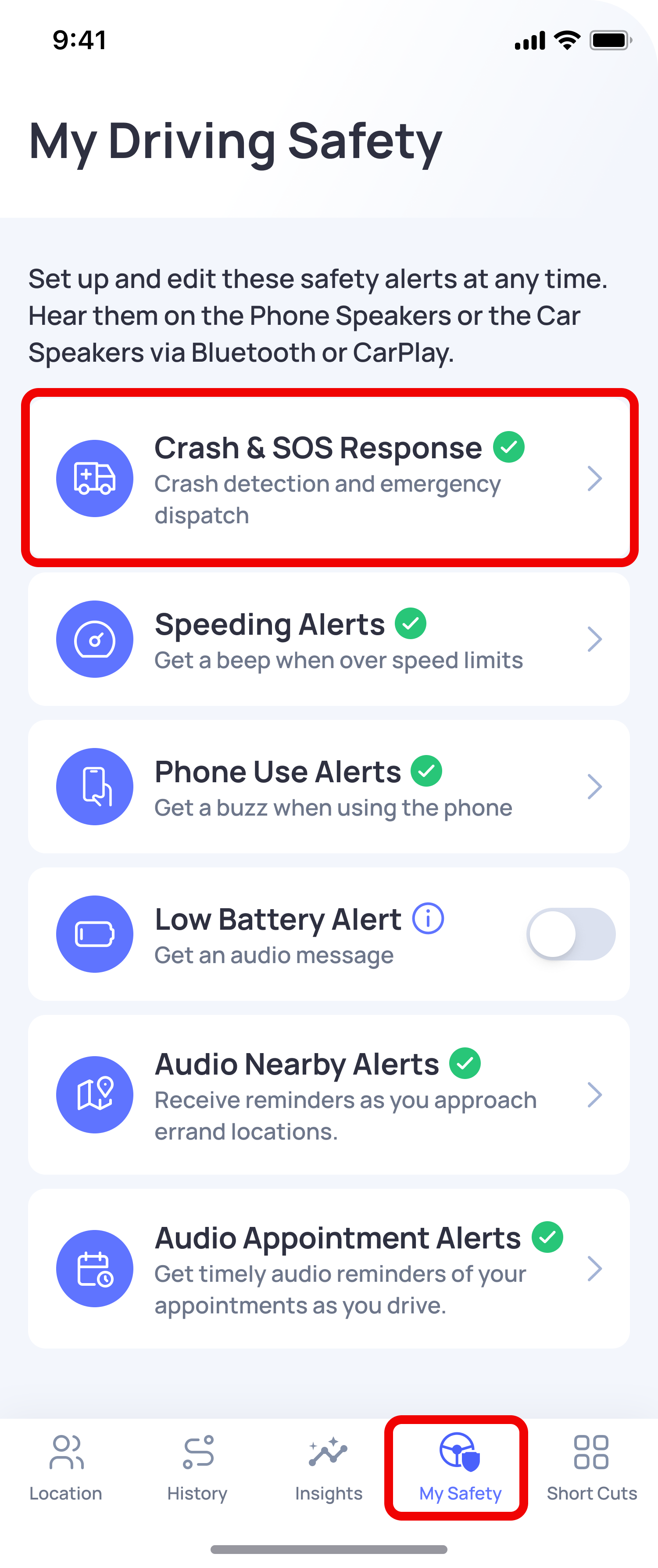
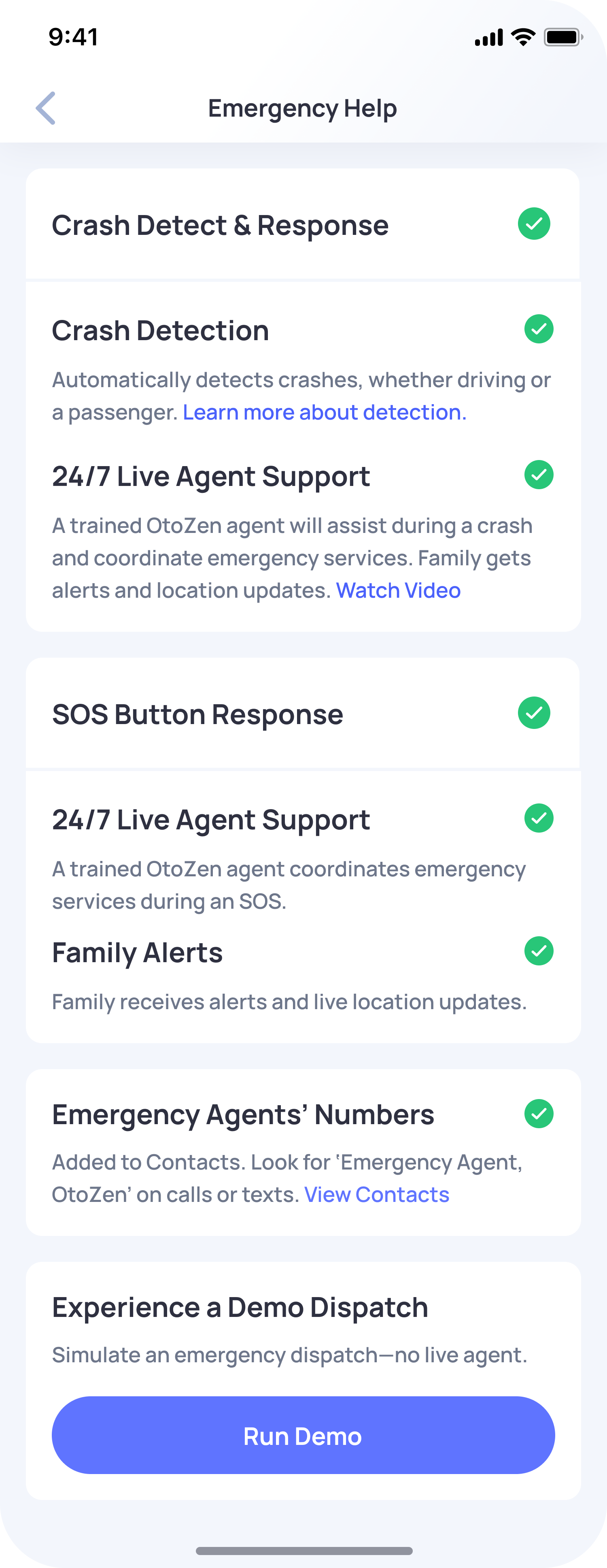
OtoZen’s Crash Detection is designed to detect possible serious accidents and help notify your emergency contacts when support may be needed.
For Crash Detection to work properly, certain driving, phone, and network conditions must be met.
Note: Crash Detection and professional emergency dispatch services are premium features and are available only within the United States.
How Crash Detection Works
OtoZen looks for signs of a possible crash based on your phone’s motion sensors, GPS movement, driving speed, and how the vehicle stops after impact.
Crash Detection is designed to work when:
- Your vehicle has been moving at 25 mph or more for at least 30 seconds before the collision.
- The vehicle comes to a quick and complete stop after impact and is no longer moving.
- Crash Detection is enabled in the OtoZen app.
- OtoZen has the required phone permissions.
You can check Crash Detection settings by going to:
OtoZen App → My Safety → Emergency Crash Response
Phone and Permission Requirements
To help Crash Detection and crash alerts work properly, please make sure:
- Your phone is turned on.
- Location Access is set to Always for OtoZen.
- Your phone has a stable cellular network connection.
Phone Placement While Driving
For better accuracy, keep your phone in a secure and stable position while driving, such as a dashboard mount, windshield mount, or another fixed location.
A stable phone position helps OtoZen track motion more accurately and improves the chances of detecting a crash.
If a crash was not detected, see: Possibilities Why a Crash May Not Be Detected
Important Note
Even when all conditions are met, there may be rare cases where a crash is not detected. This can happen due to temporary network outages, limited GPS availability, phone sensor issues, algorithm errors, or crashes occurring in areas with poor or no wireless coverage.